Creative Drive CRO Contact Us

Top / Feature / Edit actual page

Improve

Edit Live Page

Place only text replacement, element hiding, and block insertion on pages where a single measurement tag has been added.No remake is needed.

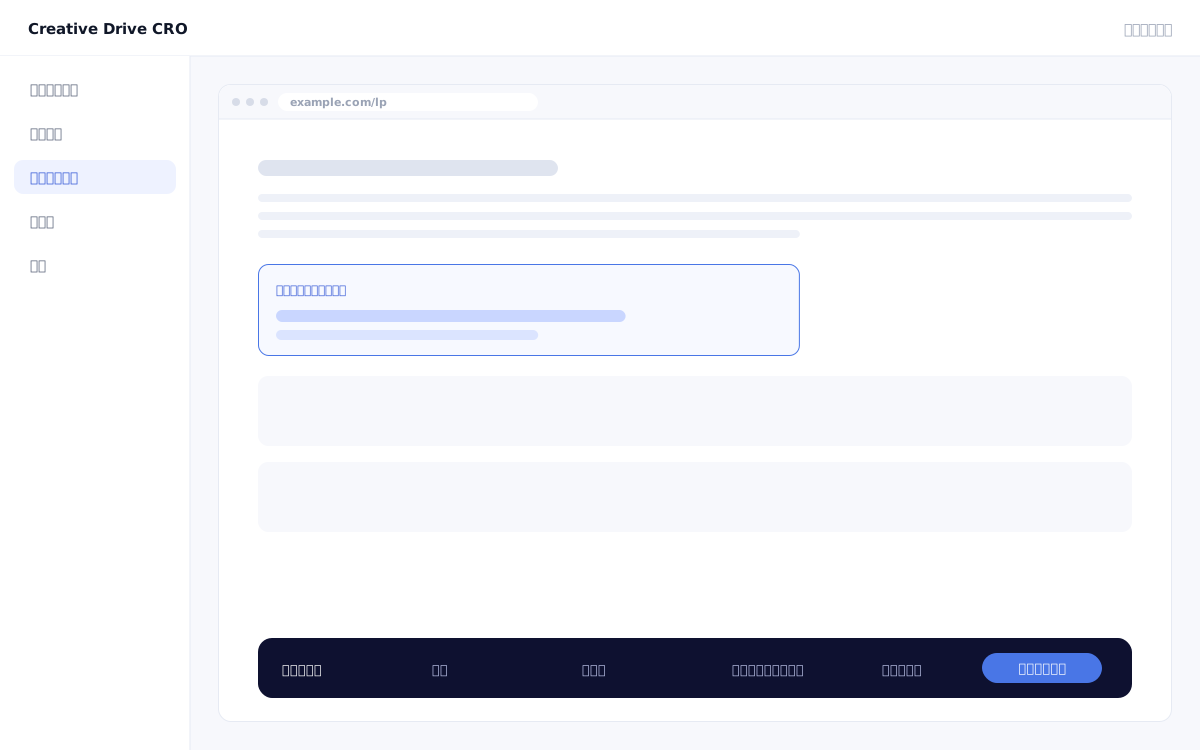
Actual page editing screen

You want to improve your LP or website, but even changing a single word requires going through the development workflow, and it takes 1–2 weeks until release.You have improvement hypotheses in mind but can't test them, and even when you do, the link to results is unclear——this loop is stalling your CRO efforts.The real page editing feature works by placing a single measurement tag on your existing site or landing page and layering differences on top, allowing you to change text, elements, and layout without altering the original code, and run A/B tests end to end.

We solve these challenges

What you can do

How it works

Creative Drive CRO's actual page editing works by "overlaying only the differences" without changing the original HTML.By configuring text replacement, element addition/deletion/hiding, and HTML block insertion from the admin panel for pages where the measurement tag is installed in a single line, JavaScript applies the differences the moment a visitor opens the page.Since the files on the original server are not modified in any way, turning it off will instantly revert to the original page.This mechanism allows you to quickly validate hypotheses by bypassing CMS constraints, development workflows, and approval processes, and by combining it with A/B testing, you can confirm the contribution to results in numbers before deciding on official adoption.

Use it in situations like this

Improve existing LP first view without rebuilding it

Insert additional elements (highlight badges, reinforced appeal text, and dynamic CTAs) into the production LP.Since only the differences are applied on top of the existing LP without touching it at all, version control, test environments, and release approval processes are unnecessary.From hypothesis to implementation in just minutes.

Change header/footer CTAs across the entire site at once

By applying to "common page locations," you can change CTA text and navigation flows across an entire site spanning dozens of pages all at once.Even if bulk edits in your CMS are difficult, you can handle it with insertions from Creative Drive CRO.

Add or hide elements for specific segments only

By combining with the content targeting feature, you can implement scenarios such as "show an exclusive banner only to visitors coming from search ads" or "simplify the menu only for smartphone visitors" — all without any coding.

Verify results with A/B testing before deciding on official adoption

Run an A/B test between the "original page" and the "page with the delta applied," confirm the numerical impact on CV, then officially adopt it.You can validate hypotheses without development costs and use the results as a basis for deciding which changes to incorporate into the system.

Getting started

01

Install measurement tag

Add one measurement tag to the `<head>` of the page you want to improve.It works with any type of page that outputs HTML, including WordPress, Shopify, and custom-developed sites.

02

Select the changes

In the admin panel's visual editor, click on the element you want to modify (heading, button, image, or block) to select it.You can also specify using CSS selectors.

03

Enter the difference

Set "Replace text," "Insert HTML," "Hide element," or "Change attribute" for the selected element.When conducting an A/B test, register multiple proposals at the same time.

04

Set delivery conditions (optional)

If applying to all visitors, you can start delivery as is.When combining with the content targeting feature, configure "Apply only to visitors matching this condition."

05

Review results and decide on official adoption

After delivery, check the impact on CVR using actual measured data.When A/B results are in, end the test using the "align with the winning variant" action.Reflecting changes to the original code will be done by submitting a request to the development team.

FAQ

Can it be used with any CMS, such as WordPress or Shopify?
Yes.WordPress・Shopify・Wix・独自開発のWebサービスを問わず、`<head>`にタグを1行置けるページであれば動作します。There are no restrictions on frameworks or languages.
Will applying real page editing affect existing JavaScript?
It is designed to have no impact.The Creative Drive CRO tag operates independently and does not stop existing JS libraries or GTM processing.
Will turning off the setting return me to the original page?
Yes.Turning off the measure will immediately display the original page.The diff will not remain on the server side, so it will be completely restored to its original state.
Can I also replace images and insert HTML blocks?
Supports text replacement, element addition/deletion/hiding, and HTML block insertion.You can also change attributes of existing elements (such as href and src).

Related features

WEB customer engagement targetingChange by entry page, traffic source, visit count, region, and device.AI improvement suggestionsJust approve it and the changes will be applied.The wording will also be displayed.A/B and MultivariateView wins and losses for each proposal, before and after editing.

You can try it with your current site as-is

You can start by placing a single line of tag.

Contact Us