Creative Drive CRO Contact Us

Top / Feature / SFA・CRM Integration

Cross-cutting

SFA/CRM Integration

Deliver acquired leads with full visibility into which ad they came from and who they are.It can be used as-is among sales tools.

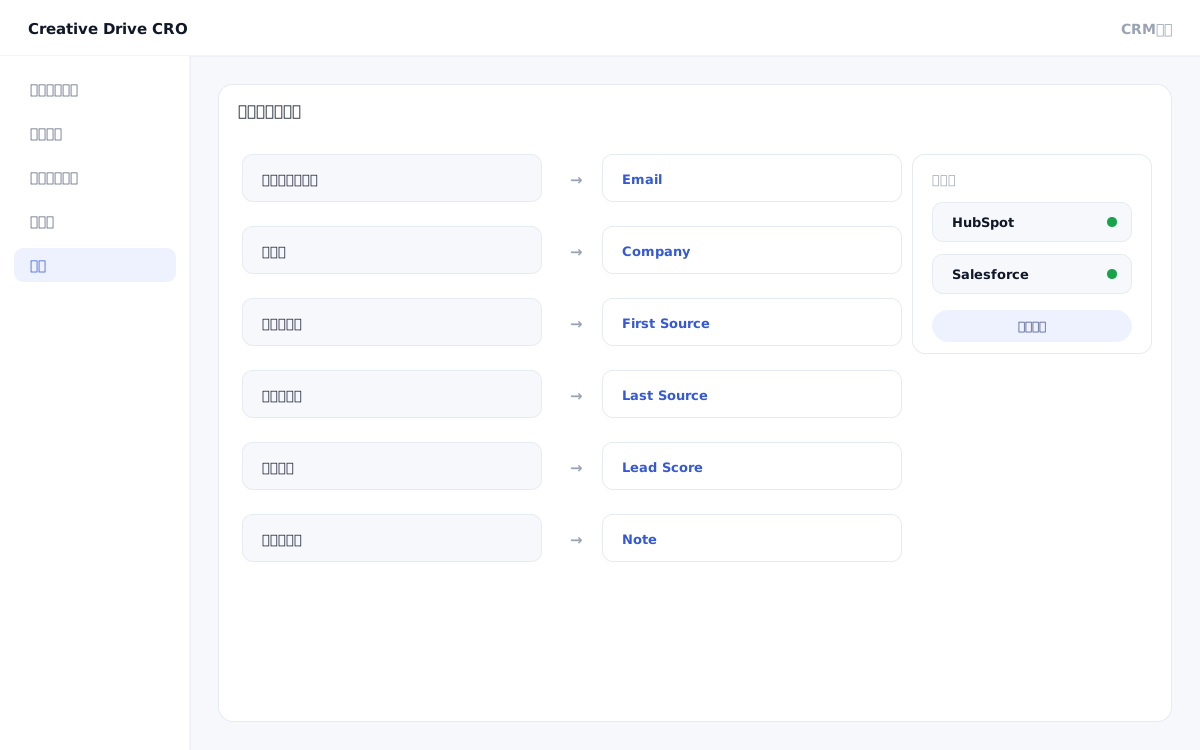
SFA/CRM Integration Screen

When registering leads acquired through landing pages or inquiry forms into your SFA, if the leads are handed off to sales without information about "which ad they came from" or "which pages they viewed," that data cannot be leveraged in sales conversations.Additionally, manually handling duplicate processing when multiple inquiries are received from the same email address degrades the data quality in your CRM.Creative Drive CRO's SFA/CRM integration automatically transfers leads to HubSpot or Salesforce with traffic source, UTM parameters, and page view history attached.By matching records by email address before sending, this prevents data quality degradation due to duplicates.

We solve these challenges

What you can do

How it works

The Creative Drive CRO SFA/CRM integration triggers on form submission events to attach traffic source, UTM parameters, page view history, and purchase intent scores collected by measurement tags to lead records, then automatically forwards them to HubSpot or Salesforce.Before sending, deduplication is performed by email address. If an existing lead is found, it will be processed as an update to the existing record rather than creating a new one.You can check the send log in the admin panel, and failed records can be resent.

Use it in situations like this

Check which ad a lead came from in Salesforce

The lead source (Google Ads, campaign name, ad group) is automatically assigned to lead records in Salesforce.Sales teams can check which ads a lead responded to before a meeting, and use this information to personalize their approach.

Deduplicate form submissions by matching emails before sending to CRM

If an inquiry is received again from the same email address, no new lead will be created; instead, the existing record will be updated.You can reduce the manual effort of merging duplicate leads in your CRM and maintain data quality.

Supplement HubSpot lead scores with Creative Drive CRO purchase temperature

By combining HubSpot lead scores with browsing behavior scores measured by Creative Drive CRO (pricing page visits and multiple visits to specific page groups), you can achieve more accurate hot lead detection.

Getting started

01

Connect your HubSpot or Salesforce account

Authenticate your HubSpot or Salesforce account in the integration settings of the admin panel.Connect using an API key or OAuth authentication.

02

Map form fields to CRM fields

Set the mapping between form input fields (such as name, company name, and email address) and CRM lead fields.Also specify the fields to assign traffic source, UTM parameters, and scores.

03

Set deduplication rules

Enable email address matching.Configure the behavior (overwrite, append, or ignore) when an existing lead is found.

04

Verify behavior in the send log

Perform a test send and verify in the admin panel's send log that lead information is being correctly forwarded to the CRM.

FAQ

Which SFA/CRM systems are supported?
Compatible with HubSpot and Salesforce.Since it supports integration via Webhook, it is also possible to connect to other SFA/CRM systems via Zapier.
Where is the source information assigned to leads obtained from?
Creative Drive CRO measurement tags collect this data from first-party data (UTM parameters, referral URLs, and page view history).More accurate traffic source information is assigned through matching with advertising media data.
How can I check for send failures?
In the admin panel's submission log, you can check when each lead was sent to which CRM and view the success/failure status.In case of send failure, you can use the resend function.

Related features

Prospect & Customer InsightsIdentify anonymous visitors by name and display their engagement level.Notifications and WebhooksSends to Slack, LINE, Email, and Zapier.MCP compatible (AI-operated)From AI such as Claude Code, you can handle measurement and improvement.

You can try it with your current site as-is

You can start by placing a single line of tag.

Contact Us