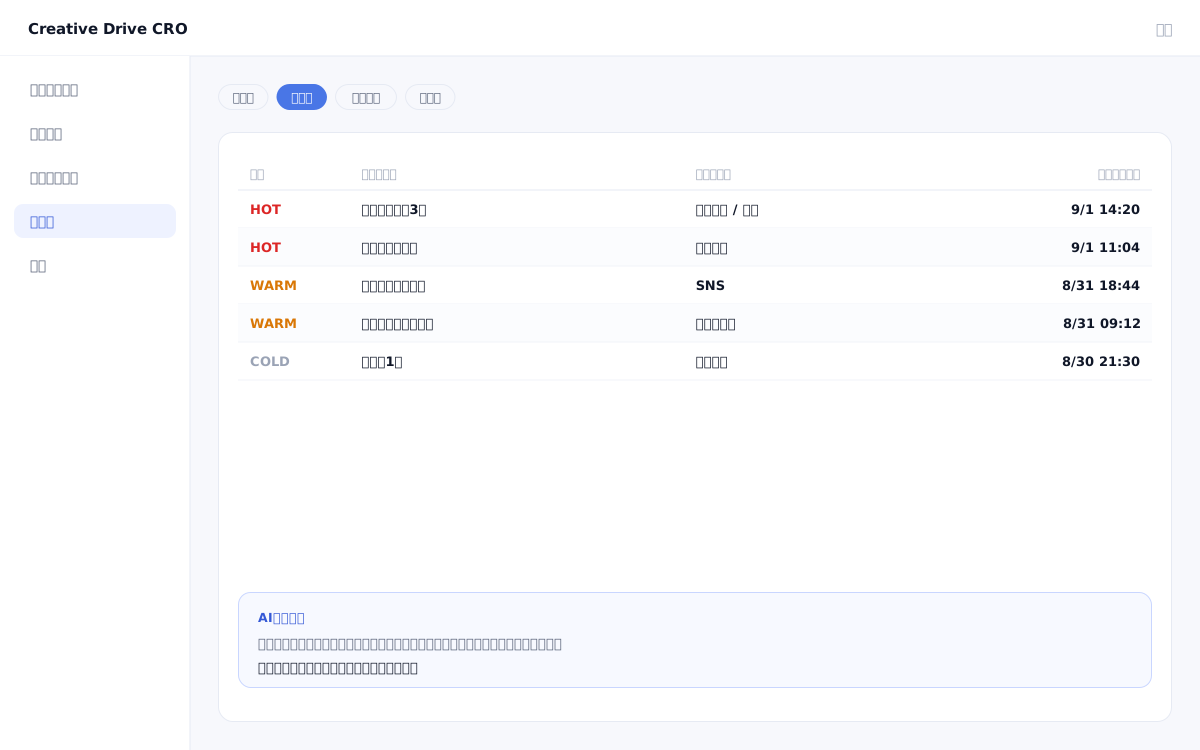
When you approach leads who have submitted inquiries or document requests without knowing "what pages they viewed beforehand" or "what they are interested in," you risk repeating information they have already researched or bringing up topics they have no interest in.Creative Drive CRO's lead follow-up and customer insight features de-anonymize anonymous visitors upon form submission, and retroactively link their past browsing history as actions by the same individual.AI estimates interest themes and purchase intent from browsing behavior, enabling sales representatives to approach prospects with a clear basis for knowing "what to talk about."
The follow-up and customer understanding features of Creative Drive CRO identify visitors by name by linking the browsing history recorded by first-party measurement tags with the email addresses captured at form submission.At the moment of identification, the anonymous browsing history prior to that point is retroactively integrated as the behavior of the same individual.AI estimates interest themes and purchase intent scores based on pages viewed, time spent, number of visits, and traffic sources, then sends notifications to Slack, email, or Webhook when a score exceeds the threshold.By integrating with Salesforce and HubSpot, you can view lead information and behavior summaries directly within your CRM.
You can view a list of pages visited by leads before submitting the inquiry form, along with their time spent and number of page views.Sales can review information such as "has viewed the pricing page 3 times" and "spent a long time on a specific use case page" before entering the first meeting.
Detects browsing behavior that exceeds the configured score threshold (e.g., multiple visits to pricing pages or case study pages within a short period) and instantly notifies the assigned sales representative via Slack.You can build a system that never misses hot leads before they make an inquiry.
AI analyzes browsing behavior and generates a summary of "topics this person is likely interested in," "words they use," and "the context of their challenges."By attaching this summary to lead records in Salesforce or HubSpot, your sales team can deepen their understanding of customers directly within the CRM interface.
Install measurement tags on all pages and set up form integration tags on form pages.Form submission will perform real-name identification.
Set conditions for increasing the purchase intent score, such as "visited the pricing page 2 or more times" or "visited a specific page group 3 times."Sends a Slack and email notification when the score exceeds the threshold.
Connect your HubSpot or Salesforce account.After form submission, behavior summaries and scores are automatically added to lead information.
In the admin panel's lead list, check each lead's browsing history, topics of interest, and purchase temperature.By reviewing the details before a business meeting, you can take a more targeted approach.
You can start by placing a single line of tag.
Contact Us