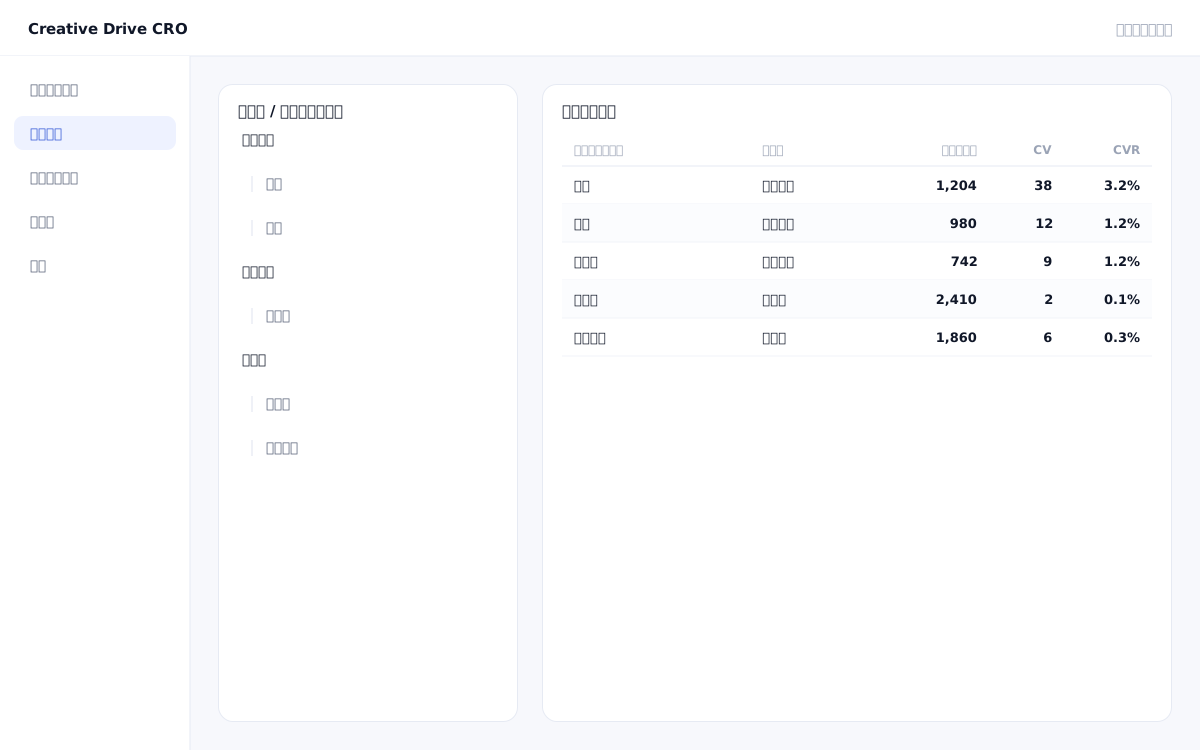
When a site has a large number of pages, looking at the numbers for each individual page makes it difficult to grasp the big picture of "which content groups are delivering results."If you have 100 blog posts, looking at the overall inflow and CV count for the "blog as a whole" is more useful for making strategic decisions than viewing the session count for each individual post.The Creative Drive CRO page grouping feature organizes pages into two hierarchical levels — "major category" and "minor category" — using URL patterns (prefix match / regular expression), allowing you to view measurement data by placement unit across all reports.
The Creative Drive CRO page grouping feature classifies all pages with measurement tags into two hierarchical levels—major and minor categories—simply by setting URL patterns (prefix match or regular expression).Once configured, aggregation by group will be reflected including past data.The groups you configure can be used across reports, delivery conditions, A/B tests, and actual page editing targeting, allowing you to consistently design strategies such as "deliver campaigns to users viewing pages in this category."
Group the entire blog with "/blog/*", and further group by category with "/blog/seo/*" and "/blog/marketing/*".You can compare which categories of articles contribute most to CVs.
By grouping service pages under "/service/*", you can instantly view aggregated metrics such as "total traffic to all service pages" and "number of CVs via service pages" combined across individual pages.
You can specify "Currently Viewed Page Group" as a condition for content targeting.You can configure actual page editing settings, such as adding a specific CTA only for visitors viewing pages under "/service/*".
Select Page Grouping from the settings menu in the admin panel.
Enter a group name and URL pattern (e.g., prefix match "/blog/").All URLs matching this pattern will be classified into this group.
Creates a medium classification group under the large classification.For example, set medium categories "/blog/seo/" and "/blog/marketing/" under the large category "Blog".
When you select a page group in the report filter, aggregated data for the pages belonging to that group will be displayed.
You can start by placing a single line of tag.
Contact Us