Creative Drive CRO Contact Us

Top / Feature / Session Replay

Analysis

Session Replay

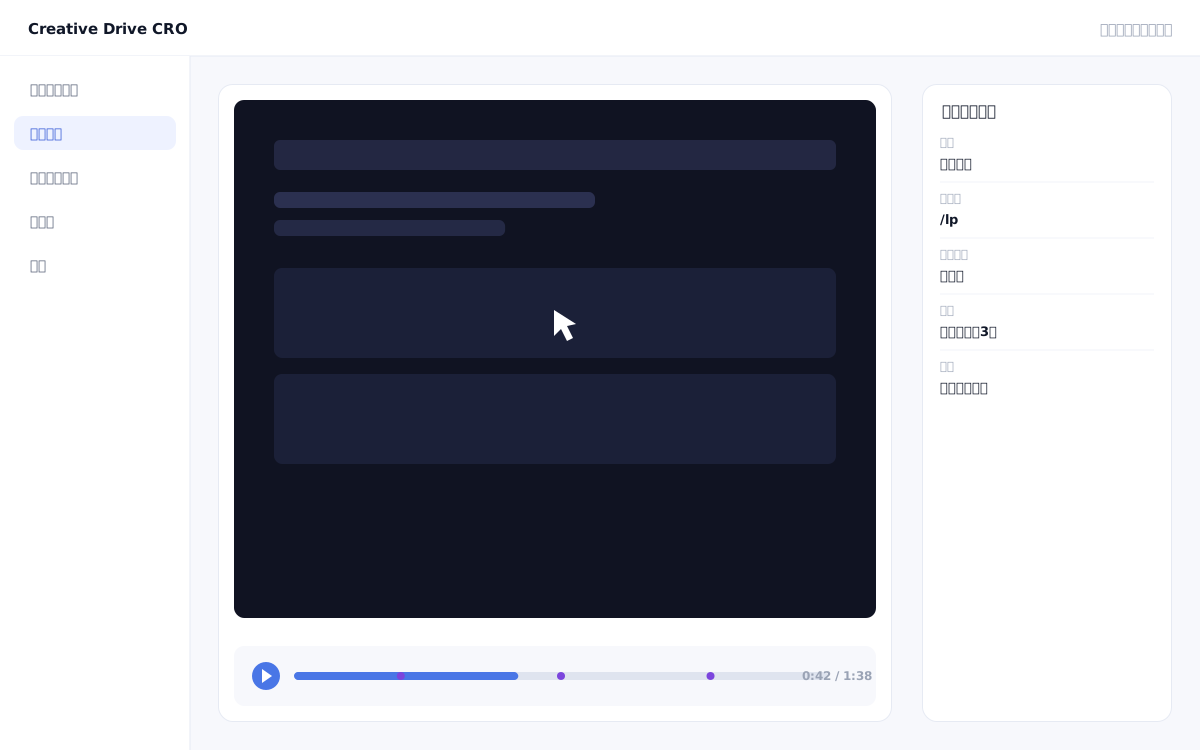
Play back actual screen movements to see where users got confused and where they stopped.You can find issues that numbers alone cannot reveal.

Session Replay Screen

Heatmaps and numerical reports show "aggregated results," but individual behavioral patterns — such as "why users dropped off" or "at what point they hesitated" — are not visible through aggregation alone.Session Replay plays back recordings of how real visitors scrolled, clicked, and filled out forms on your page.Visually uncover UX issues that numbers alone can't explain——such as "many users are abandoning input at a specific form field" or "users are scrolling back and forth searching for the CTA button."

We solve these challenges

What you can do

How it works

Creative Drive CRO's session replay records DOM changes, scroll positions, click coordinates, and form interaction events captured by the measurement tag in chronological order, reproducing actual screen activity in video format.Form input content is masked, and personal information will not be recorded.Sessions that resulted in a CV (such as a completed inquiry) are saved with priority and linked to lead information, allowing you to review them as "behavior during this lead's visit."You can filter and play back sessions by device, traffic source, conversion status, and specific page visits.

Use it in situations like this

Discover which form fields have the most drop-offs

Playing back sessions where users abandoned a contact form midway allows you to see which field they stopped at.You can use this to identify causes such as "the company name field is confusing" or "making the phone number required has increased drop-offs."

Learn the behavior patterns of converted leads

By prioritizing the review of sessions from leads who completed a CV (inquiry completion), you can identify success patterns such as "which section they read through and how far they scrolled before clicking the CTA."

Check that the layout is not broken at specific screen sizes

By filtering and replaying sessions for specific devices, browsers, and screen sizes, you can discover layout breaks and unclickable elements that went unnoticed in your test environment.

Getting started

01

Install measurement tag

Verify that the measurement tag is installed on the target page.Session replay data is automatically collected on pages where the measurement tag is installed.

02

Set save conditions (optional)

Confirm the default setting that prioritizes saving sessions that led to conversions.If you want to prioritize retaining sessions that meet specific conditions (specific page visits or specific traffic sources), add additional save conditions.

03

Select sessions using filter conditions

Filter sessions by conditions such as CV presence, traffic source, device, lead association, etc., and select the sessions you want to review.

04

Play and discover sticking points

While replaying sessions, observe behavioral friction points such as drop-offs, abandoned inputs, and hesitant clicks.Connects discovered issues to improvement proposals in the actual page editing feature.

FAQ

Will personal information (name, email, phone number) be recorded?
Will not be recorded.The contents of form input fields will be masked.Input actions (typed/stopped) are recorded, but the actual input content is protected.
Will all sessions be saved?
Sessions that resulted in a CV (such as completed inquiries) are prioritized for saving.Storage efficiency is considered, and the save rate is set according to your plan.
How can I narrow down the target sessions for replay?
You can filter by conditions such as CV presence, traffic source, device, whether a specific page was visited, and whether the visitor is linked to a lead.It is also possible to check the behavior of specific leads when they visit.

Related features

Real-time measurement infrastructureCounts unique values by deduplicating with your own ID.Traffic, Search & Advertising ReportsTrack everything from traffic source to conversion in a single line.Attribution AnalysisSwitches between first touch, last touch, and even distribution.

You can try it with your current site as-is

You can start by placing a single line of tag.

Contact Us